Statistics: track how your publications perform in one place
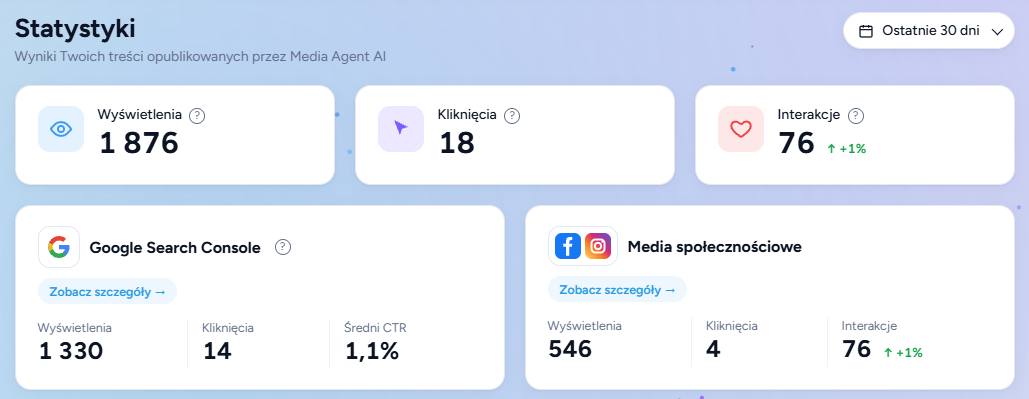
We've added a new Statistics tab to Studio. It shows how the content published by Media Agent is doing: total views, clicks and interactions, day-by-day charts and the number of publications.
- Top publications: see right away which articles and posts performed best.
- Google Search Console: average position and CTR, the queries your articles appear for, and the pages growing the fastest.
- Social media: Facebook and Instagram side by side — and with the Video add-on, TikTok and YouTube too. Plus your most-watched videos, the posts with the most interactions and new followers.
Check your results for the last 7, 30 or 90 days, or for all time. We only show results for content published by Media Agent. To see Google data, connect Google Search Console — you'll find the instructions in the tab. The data is refreshed daily.
Your videos now go to Facebook and Instagram too

The same video that goes to TikTok and YouTube can now also be published as a Reel on Facebook and Instagram.
It's part of the Video add-on, at no extra cost. You'll find your ready Reels in the Video tab.
How it works
- The video is made in Studiojust like before.
- Connect your accountsFacebook and Instagram. Next to every post you'll see whether the account is ready to publish.
- PublishYour Reels will appear in the Video tab.
Easier work with videos and posts
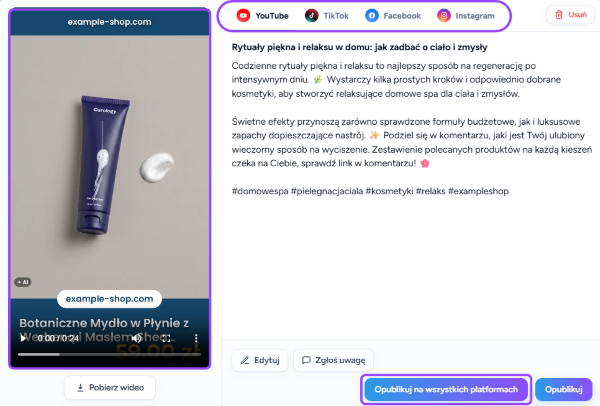
We've rebuilt the video card to make working with videos faster.
- A card for every video: everything in one place.
- A bigger player: easier to see how the video looks.
- One button: “Publish on all platforms”.
Videos that look the way you want
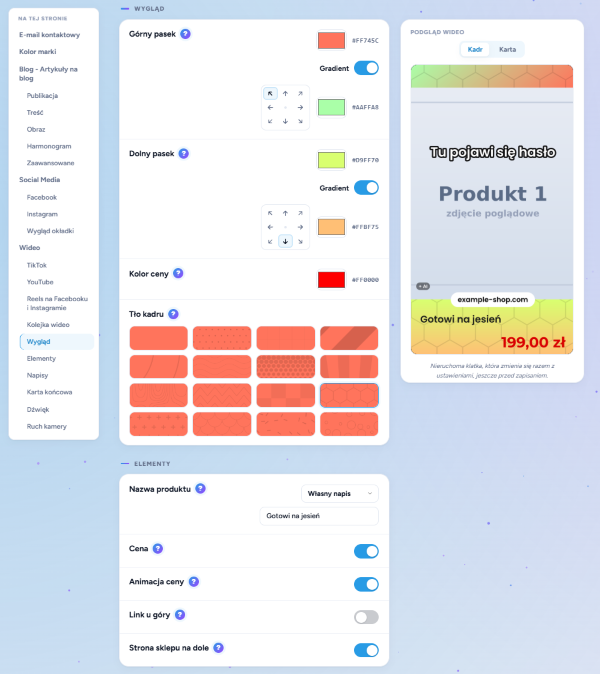
All video options are now in one place, with a preview next to them that updates instantly — even before you save.
- Look: bar colours, including gradients, and new background patterns.
- Elements: product name, animated price, logo and store address.
- End card: your own background, tagline, logo, button and product carousel.
Voice-over and subtitles your way
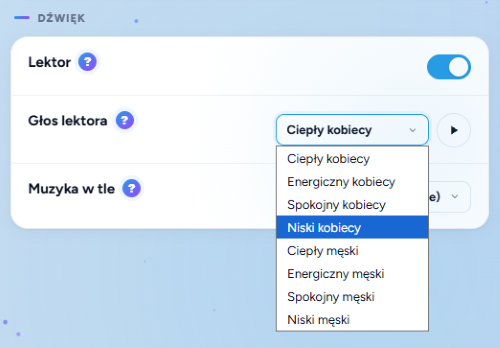
Voice-over and subtitles have separate switches. You can listen to a sample before choosing a voice: there are 5 voices in 9 languages.
Fix and generate images in your articles
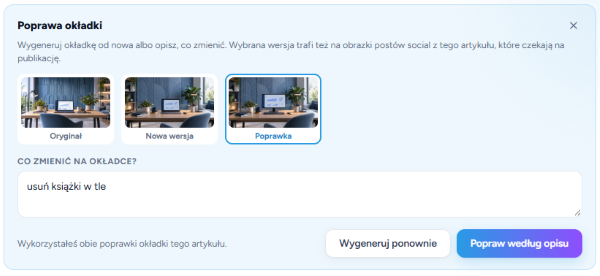
Cover not quite right? Or missing an image in the middle of the text? You can fix it or generate a new one without leaving the article:
- Click “Fix cover” right next to the article image.
- Describe the changes you want — Studio will adjust the image based on your notes.
- Generate again: if the cover doesn't work for you at all, get a brand-new version in one click.
Other updates and improvements
- SEOAIOSEO support
Meta descriptions are now also saved in the AIOSEO plugin. We already supported Yoast SEO, Rank Math and SEOPress.
- ALTReady-to-copy “Alt text”
A cover description for Google and screen readers, copied in one click. Handy when you add the cover to your store yourself.
- AIAutomatic “Made with AI” label
Every generated video carries information about AI use in its metadata — so your content meets TikTok, YouTube and Meta platform requirements out of the box.
Try the new features in your Studio
Everything described here is already live and waiting for you in your panel. Open Studio from your saved link and try the new features in practice.
Have a question, an idea for the next feature, or need help? Write to us: support@mediaagent.studio.